Custom vRops Content Pack for Log Insight
I work as a consultant. Mainly on vRops and Log Insight. This means that I have installed vRops and Log Insight quite a few times now. It also means that troubleshooting vRops is not that unfamiliar to me and what better tool to troubleshoot vRops with than VMware's own Log Insight!
In order to help me troubleshoot I have created a "content pack" for vRops. This content pack adds some more value, hence it's not there in the current version of the vRops content pack.
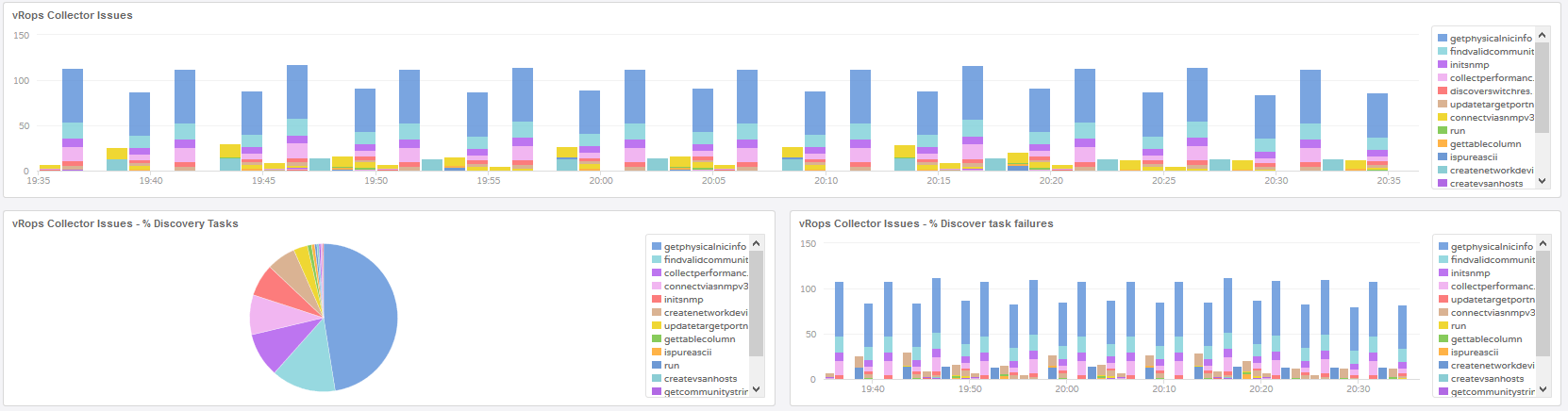
The content pack provides one dashboard with six widgets. The widgets are:
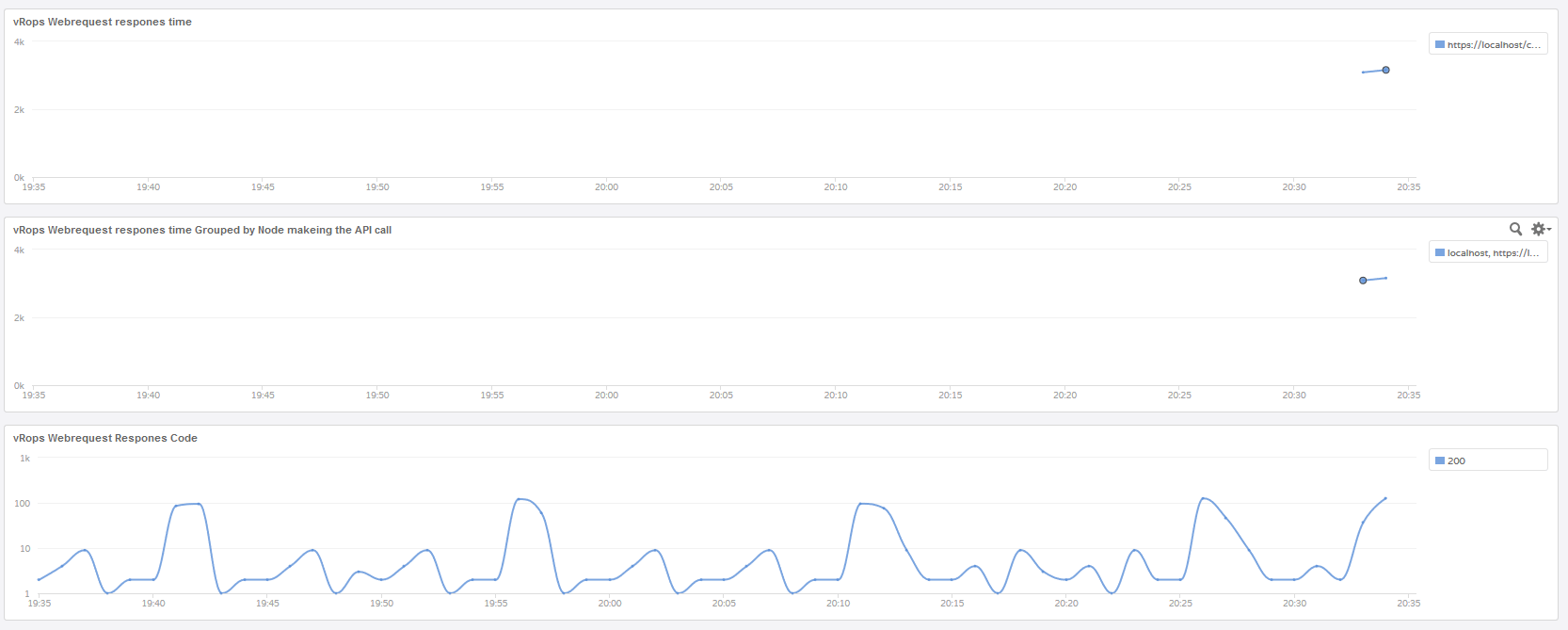
The first three widget is all about the speed of the vRops GUI. The first two widgets will show graphs with responses times to help identify if there's an issues and also which node is responsible. The last of the three shows you the http response codes. Hopefully all your are seeing is response code 200. If you see anything else it might indicate that you have a problem with the nodes.
The last three is all about troubleshooting the vRops collector. This means all the management packs you have installed and how data is collected. This is helpful when ever there is a problem with getting the collectors to work or if you need to find out why some device/VM data isn't being collected for.
Custom vRops Content Pack
Below you can see and also download the Custom vRops Content Pack - Remember to save the file as some thing containing .vlcp so it can be imported into Log Insight
https://gist.github.com/MichaelRyom/472ad8664f4dd772ec49d5690e1be4b1
Troubleshooting with Custom vRops Content Pack
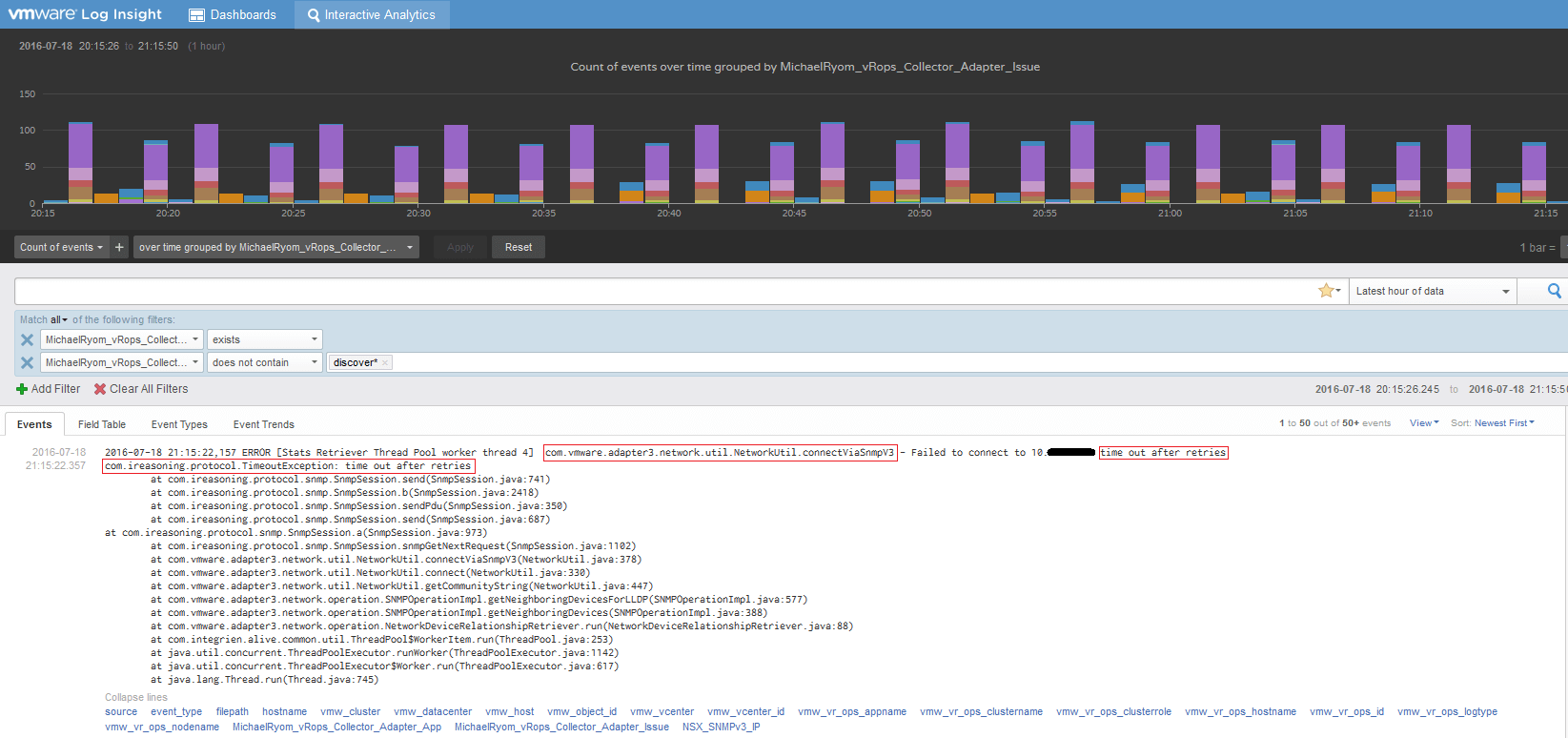
I have clicked on one of the widgets and what you see below is just a single log message. I have highlighted what is interesting in this log message. Also note that the IP address of the device which have the issue is clearly visible even though I have here hidden some of the IP address. So now we know what device, but for some reason it isn't getting monitored in the way that have been configured in vRops. Next is to figure out why. Looking at the highlighted texts. Starting with the first one. Here we see that it is regarding "network" and "connectViaSnmpV3", because of this we now know it's network related and that it tries to connect via SNMP V3. Next highlight "time out after retries", so the cause for this error is a time out after multiple retries. Almost there, looking at the last highlight we see almost the same. There you have it, now it just a matter of figuring out why it times out. It could be as simple is SNMP V3 isn't configured on the device.
With that happy troubleshooting and as always the comment section is open.